Mesh WiFi Versus Access Points for Your Property

A Wi-Fi problem rarely starts as a Wi-Fi problem. It starts when a security camera drops offline at the side of the house, a video call freezes in an upstairs office, or the smart lock takes too long to respond. When comparing mesh WiFi versus access points, the right answer depends less on what is newest and more on how your property is built, where devices are used, and whether network cables can be installed cleanly.
For many Burlington and GTA homes and small businesses, both options can improve coverage significantly. The difference is how they carry data through the building, how much performance they retain at distance, and how well they support demanding equipment such as cameras, computers, VoIP phones, and smart-home devices.
Mesh WiFi Versus Access Points: The Core Difference
A mesh WiFi system uses two or more wireless units that work together under one network name. One unit connects to the internet modem or router, while the other units extend coverage throughout the property. Depending on the system and installation, those units communicate with each other wirelessly or through Ethernet wiring.
Wireless mesh is popular because it is straightforward to add. A node can often be placed in a room with a power outlet, making it a practical option where running cable would be disruptive or unnecessary. Your phone, laptop, and other devices can move between nodes without manually changing networks.
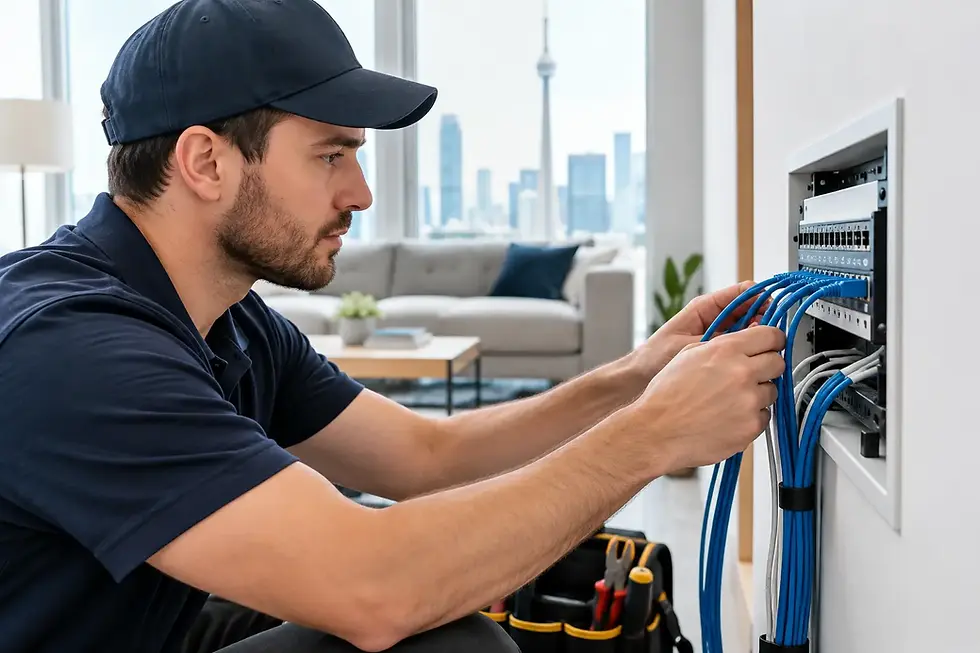
Access points also create a single Wi-Fi network across a larger area, but they are normally connected back to the main network with Ethernet cable. Rather than relaying the signal from one wireless point to another, each access point has its own wired connection. This gives it a direct path back to the router or network switch.
That wired connection is the key distinction. An access point installation generally takes more planning and professional cabling work, but it usually provides more consistent speed, capacity, and stability. It is particularly well suited to larger homes, detached garages, multi-level properties, offices, and locations with several always-connected devices.
When Mesh WiFi Makes Sense
Mesh WiFi can be a good fit for a typical home where the main concern is dead zones rather than high device demand. For example, a homeowner may have good service near the internet modem but weak coverage in bedrooms, the basement, or a backyard seating area. A properly placed mesh system can extend usable coverage without opening walls or running new cable.
It can also be a sensible choice for rental properties or spaces where permanent network wiring is not practical. If the layout is relatively open and the mesh units can maintain a strong connection to one another, the system may deliver a noticeable improvement with modest installation work.
Placement still matters. A mesh node placed at the far end of an existing dead zone cannot create a strong signal out of a weak one. It needs to sit where it can still receive a good signal from the primary unit, then extend it farther into the property. Brick walls, concrete, metal ductwork, mirrors, radiant heating, and older construction can all reduce wireless range.
Wireless mesh also involves a trade-off. Each node must use part of its wireless capacity to communicate with the rest of the system. Better mesh equipment may use a dedicated wireless band for this connection, but distance and building materials still affect results. For browsing, streaming, and normal smart-home use, that may be completely acceptable. For heavier workloads, it may not be.
When Wired Access Points Are the Better Choice
Access points are usually the stronger long-term option when dependable connectivity matters in every room. Because each unit is wired, it does not need to depend on a wireless hop through the building. This reduces the performance loss that can occur in a wireless mesh layout.
A wired access point design is often worth considering when a property has multiple storeys, thick interior walls, a finished basement, an addition, or an outdoor area that needs stable coverage. It is also a practical choice where Ethernet cable can be run through a basement ceiling, attic, utility room, crawl space, or existing conduit with minimal visual impact.
For small businesses, wired access points offer clear advantages. Staff computers, payment terminals, cloud applications, printers, guest Wi-Fi, VoIP phones, and security cameras may all rely on the same network. Those devices need more than a strong signal indicator. They need predictable performance and sensible network management.
Access points also make it easier to separate traffic when needed. A business may keep staff devices, guest Wi-Fi, cameras, and smart equipment on separate network segments. This can improve security, limit unnecessary access between devices, and make troubleshooting more straightforward.
Coverage Is Not the Same as Performance
A common mistake is choosing a system based only on advertised square footage. Manufacturer coverage figures are usually measured in ideal conditions, not in a brick home with several floors, neighbouring Wi-Fi networks, and rooms full of connected equipment.
A network can show full bars and still perform poorly. This often happens when the access point is too far away, the wireless channel is congested, or many devices are competing for airtime. Cameras can appear online but load slowly. Video calls can connect but become choppy. Smart devices may work inconsistently because they are installed at the edge of usable coverage.
The most useful network design considers four practical details:
the size, layout, and construction materials of the property
where people actually use phones, computers, TVs, and tablets
where fixed devices such as cameras, doorbells, printers, and alarms are located
how many devices need reliable service at the same time
This is why one home may work well with a two-unit mesh setup while a similar-sized home needs several wired access points. A floor plan tells part of the story. The building materials and device locations tell the rest.
Security Cameras and Smart Devices Need Special Attention
Security cameras do not always require high internet speed, but they do require a stable local network. If a camera constantly loses its connection, records unreliably, or takes too long to load on a phone, the issue may be Wi-Fi placement rather than the camera itself.
Outdoor cameras are especially challenging. Exterior brick, stucco, insulated walls, metal soffits, and distance from the main router can weaken the signal before it reaches the camera. Adding a mesh node inside may help in some situations, but it is not always the cleanest answer. A wired access point placed closer to the coverage area, or a wired camera connection where appropriate, is often more dependable.
Smart-home devices have their own requirements. Many lights, plugs, locks, and thermostats use the 2.4 GHz Wi-Fi band because it travels farther through walls. Newer systems may support both 2.4 GHz and 5 GHz bands, but older or lower-cost devices can struggle when a network is not configured with compatibility in mind. The goal is not simply to buy more Wi-Fi equipment. It is to configure a network that lets everyday devices stay connected without creating unnecessary complexity.
A Hybrid Setup Is Often the Best Answer
Mesh WiFi versus access points is not always an either-or decision. A mesh system with Ethernet backhaul can provide the convenience of mesh management while using wired connections between units. This removes much of the performance penalty associated with wireless-only mesh.
A property can also use wired access points indoors and a separate outdoor unit for a patio, workshop, garage, or yard. In a small business, an access point system may handle the main network while a carefully controlled guest network serves visitors. The best arrangement follows the property and its priorities rather than forcing every space into one product category.
Before adding equipment, it helps to identify the real issue. Is the modem in a poor location? Is the internet plan too slow? Are there only one or two dead zones? Has the network grown over time with old routers, extenders, and devices that were never properly configured? Replacing gear without addressing those questions can leave the same problems in place.
Planning a Network That Will Last
A good installation starts with a site-specific assessment. The equipment should be placed where it can serve the space, not where it happens to fit beside the modem. When cabling is needed, it should be routed cleanly and protected appropriately. Network hardware should also be configured with secure passwords, current firmware, and settings that support the devices already in the home or business.
For homeowners, that may mean reliable Wi-Fi in the kitchen, bedrooms, basement, driveway, and backyard, with dependable access to cameras and smart devices. For a business, it may mean stable workstations, secure staff access, a separate guest network, and room to add cameras or phones later without rebuilding the network.
TechWise helps property owners across Burlington and the GTA assess coverage issues, install wired or wireless network equipment, and provide straightforward support after the work is complete. The right setup is the one that performs reliably in the places you need it most, while leaving room for the next device, camera, or workspace you add.