Smart Lock Installation for Homes Done Right

A smart lock should make arriving home easier, not leave you standing on the porch because the door will not latch or the app has lost its connection. Smart lock installation for homes is less about fitting a new device to the door and more about making sure the lock, door hardware, Wi-Fi, access settings, and household routine all work together.
For homeowners in Burlington and across the GTA, a well-planned installation can replace spare keys, simplify access for family members and trusted visitors, and add useful visibility to a connected home. The right setup is dependable in daily use, secure when you are away, and still practical when a battery needs changing or the internet is unavailable.
Start with the door, not the lock
Many smart locks are designed to replace a standard single-cylinder deadbolt. That does not mean every front, side, garage-entry, or patio door is an automatic fit. Door thickness, borehole size, backset, strike plate position, existing handleset hardware, and the condition of the frame all affect the result.
The most common installation problem is not electronic. It is a mechanical alignment issue. If a deadbolt scrapes the strike plate, needs the door pushed or pulled to lock, or only turns with force, adding a motorized lock will not fix it. In fact, it can shorten battery life and cause failed lock or unlock attempts.
Before selecting a lock, check that the deadbolt slides smoothly when the door is open and closed. A proper installation may involve adjusting the strike plate, reinforcing the door frame, or correcting a sagging door. This is especially relevant on exterior doors that shift slightly with seasonal temperature and humidity changes.
Not every exterior door needs the same solution
The front door often benefits from a keypad or fingerprint option for convenient everyday entry. A side or garage-entry door may only need reliable app control and a physical key override. For a rental suite, home office, or elderly family member, temporary or scheduled codes may matter more than biometric access.
Some doors require more specialized planning. Multipoint locks, mortise locks, narrow-profile doors, glass-panel doors, and certain condo entry doors may not accept a typical retrofit smart lock. In those cases, forcing a standard product into place can compromise appearance, function, or building requirements. Straightforward advice at the beginning prevents an expensive change later.
Choose features around how your household uses the door
Smart locks can offer keypad codes, phone control, auto-locking, activity notifications, temporary guest access, fingerprint readers, and integration with cameras, alarms, lights, or voice assistants. More features are not always better. The best choice is the one your household will use correctly without added frustration.
Keypad access is useful for children, dog walkers, cleaners, and visiting family because it removes the need to distribute physical keys. Individual codes can help identify who entered and allow access to be removed without rekeying the door. However, codes should be managed carefully. Avoid using easy-to-guess numbers such as birthdays, addresses, or repeating patterns.
Fingerprint access is quick for frequent users, but it can be less consistent with wet, dirty, or very cold fingers. App-based access is convenient, although it depends on a properly configured account, phone permissions, and a stable connection if remote control is required. A physical keyway remains valuable for many homeowners as a familiar backup option.
Auto-locking is another feature that needs sensible settings. Locking after a short delay can offer peace of mind, but a delay that is too short may become irritating when carrying groceries or moving between the garage and the house. A technician can help configure practical settings rather than simply activating every option.
Wi-Fi and smart lock reliability at home
A smart lock can operate locally even when the internet is down, depending on the model and communication method. Remote locking, notifications, user management, and integration with other smart-home devices usually require dependable Wi-Fi or a compatible hub.
The lock is often installed at the far edge of the home, behind brick, metal cladding, insulation, or a garage wall. That can expose a weak Wi-Fi area that is not obvious when using a phone indoors. If the signal is poor at the door, the app may respond slowly, status updates may be delayed, or remote commands may fail.
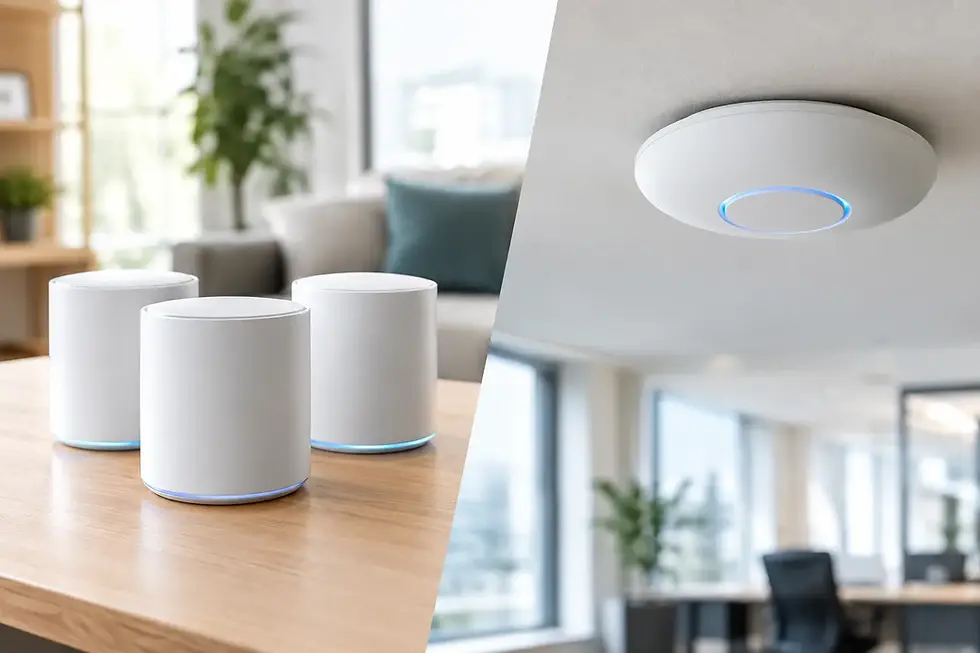
This is why smart lock installation should be considered alongside the home network. A Wi-Fi assessment may show that a mesh access point, network adjustment, or better equipment placement is needed. The goal is not maximum signal bars on a phone. It is a consistent, secure connection where the lock actually operates.
Keep the lock on a protected network
A smart lock is part of the home’s security system, so account and network setup matter. Use a unique, strong password for the lock account and enable multi-factor authentication when the manufacturer offers it. Keep the lock firmware and mobile app updated, particularly when security patches are released.
It is also wise to review who has account access. A former tenant, contractor, or guest should not retain a code or app permission simply because it was forgotten. Good access management is one of the practical advantages of a smart lock, but only when it is maintained.
For homes with cameras, alarms, smart lighting, and several connected devices, separating smart-home equipment from personal computers and work devices may be appropriate. The right network design depends on the household and equipment already in place. A simple home with one lock has different needs than a property with multiple cameras, automation devices, and remote workers.
Plan for power, backup, and real-world use
Most residential smart locks run on replaceable batteries. Battery life varies with lock type, door alignment, weather exposure, usage, and network activity. A lock that has to work hard against a misaligned door will consume more power than one that moves freely.
Choose a model that provides low-battery warnings well before the batteries are exhausted. Keep the recommended batteries on hand, and understand the backup method before it is needed. Depending on the model, that may be a physical key, an external emergency power contact, or another local entry method.
Do not rely on only one person’s phone or only one access code. Every household should have a clear backup plan for children, caregivers, or anyone who needs access during a power outage, dead phone battery, or unexpected technical issue. Convenience works best when it is paired with a simple fallback.
Connect the lock with the rest of your security setup
A smart lock is useful on its own, but it can be more helpful when coordinated with other home technology. For example, a camera at the entry can provide a clear view of a visitor before remote access is granted. Entry lighting can be set to come on when the door is unlocked in the evening. Notifications can confirm when a child arrives home or when a service provider uses a temporary code.
There are trade-offs. Automation should support your routine, not create unnecessary alerts or complicated rules that no one remembers how to manage. A remote unlock command should be used carefully, ideally after confirming who is at the door through a camera or direct communication. Smart locks provide control, but they do not replace sound judgement or a properly secured door and frame.
Why professional installation can be worth it
A do-it-yourself smart lock may be a good fit when the door is standard, the existing deadbolt is aligned, Wi-Fi is strong at the entrance, and the homeowner is comfortable with app and account configuration. The process becomes more involved when the door needs adjustment, the lock must work with existing cameras or automation, or the network is unreliable.
Professional installation focuses on the details that affect long-term performance: clean mounting, smooth bolt operation, concealed and tidy wiring where applicable, correct handing and calibration, secure account setup, and a clear demonstration of daily use. It also provides a single point of contact if the issue turns out to be the door, the network, the lock, or an integration with another device.
TechWise can assess the property, install compatible smart locks, improve connectivity where needed, and coordinate the lock with cameras and other home technology. The aim is a tailored setup that feels simple to use after the installer leaves.
A smart lock should fit naturally into the way your home already works. Take the time to solve door alignment, network coverage, access permissions, and backup entry before installation day, and the result will be a door that is easier to manage without becoming another device that needs managing.