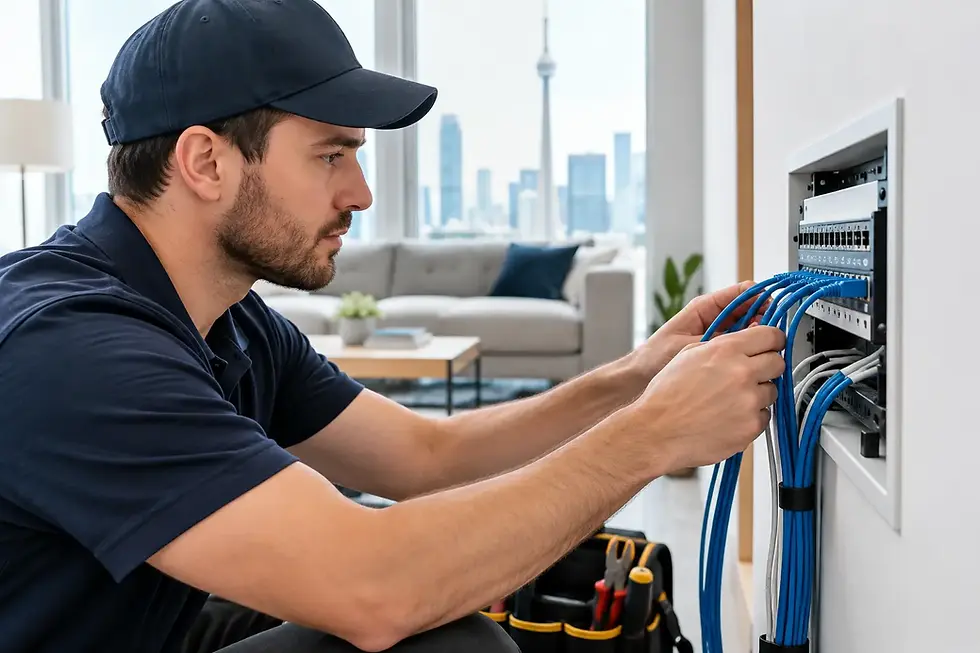
WiFi Installation for Large Homes That Works

A strong internet plan can still feel disappointing when the Wi-Fi stops at the kitchen, drops in an upstairs bedroom, or cannot reach the backyard. WiFi installation for large homes is not simply a matter of buying a more expensive router. It requires a coverage plan that accounts for the property layout, construction materials, connected devices, and the way your household actually uses the network.
For homeowners across Burlington and the GTA, the goal is straightforward: dependable connectivity where it is needed, with equipment installed cleanly and set up properly. That may include dedicated access points, wired network connections, better placement, or a combination of all three.
WiFi Installation for Large Homes Starts With the Property
A large home is not defined by square footage alone. A two-storey detached home with a finished basement, brick exterior walls, a home office, and a detached garage can be more challenging than a larger open-concept house. Signal has to travel through floors, ductwork, concrete, plumbing, metal fixtures, and sometimes dense insulation.
Before selecting equipment, it helps to look at where connectivity matters most. That usually includes offices, bedrooms, media rooms, kitchens, basements, outdoor seating areas, garages, and locations where security cameras or smart-home devices are installed. A family that streams 4K television in several rooms has different needs than a household primarily browsing and checking email.
The internet service entering the home matters, but it is only one part of the picture. A fast fibre connection will not fix poor Wi-Fi coverage between floors. Likewise, a well-placed access point cannot compensate for an outdated modem, damaged cable, or a network overloaded by too many devices.
Why One Router Is Often Not Enough
A single all-in-one router works well in many condos, apartments, and smaller homes. In a larger property, it often ends up in the wrong location because that is where the internet provider installed it. A router tucked into a utility room, basement corner, or cabinet is starting at a disadvantage.
Moving it closer to the centre of the home can help, but there are limits. Wi-Fi signal naturally weakens with distance and obstacles. Adding a wireless extender may improve one dead zone, yet extenders can also reduce performance because they must receive and retransmit the same wireless signal.
For consistent coverage, a properly designed multi-access-point network is usually the better approach. Each access point serves a specific part of the home while working as one network. Devices can move between coverage areas without homeowners having to manually change networks or reconnect passwords.
Wired Backhaul Makes a Noticeable Difference
The strongest option is to connect access points back to the main network using Ethernet cable. This is called a wired backhaul. It gives each access point a direct connection rather than asking it to share Wi-Fi capacity with other access points and devices.
Wired connections are especially worthwhile for homes with:
Multiple levels, finished basements, or additions
Brick, concrete, plaster, or radiant heating that interferes with signal
Security cameras, video doorbells, smart TVs, and gaming systems
Home offices that rely on video calls and cloud applications
Outdoor Wi-Fi needs around patios, pools, workshops, or detached garages
Not every home needs new cable runs everywhere. Sometimes existing network wiring can be used, or a few carefully planned runs can solve the biggest issues. A site assessment identifies what is practical without creating unnecessary work or visible mess.
Access Point Placement Matters More Than Marketing Claims
Equipment boxes often promise coverage for a certain number of square feet. Those estimates are broad and do not reflect the walls, floors, and layout of your home. A better plan places access points where people use devices, not simply where an installer finds an easy outlet.
Ceiling-mounted access points can provide broad, even coverage on a main floor or upstairs hallway. Wall-mounted units may be a better fit in certain rooms or finished spaces. Outdoor-rated access points can extend service to a patio, pool area, or backyard while keeping equipment protected from weather.
Placement should also consider high-demand areas. A home office may need close, reliable coverage for meetings and file transfers. A media room can benefit from a hardwired connection for the television or streaming device. If a security camera system records to a network video recorder, wiring the recorder and cameras correctly helps keep camera traffic from competing unnecessarily with everyday Wi-Fi use.
Choose Equipment for the Network You Have Now and the One You Will Add
Modern homes accumulate connected devices quickly. Phones, tablets, laptops, televisions, thermostats, lights, locks, doorbells, cameras, speakers, appliances, and gaming consoles can all be active at once. The issue is not only speed. It is how well the network handles many devices reliably.
Current Wi-Fi standards can improve capacity and performance, but newer equipment is not automatically the right answer. A properly configured Wi-Fi 6 or Wi-Fi 6E system can be a sensible choice for a busy household, while a simpler setup may be enough for a smaller number of devices. The right selection depends on your internet plan, the number of users, device types, and coverage requirements.
Avoid building a network around mismatched consumer equipment if reliability is a priority. Several different routers, repeaters, and old provider devices can create separate networks, double NAT issues, confusing passwords, and difficult troubleshooting. One coordinated system is easier to manage and expand later.
Configure the Network for Everyday Use
Installation is only part of the job. The network should be configured to support the way your household operates. That includes a secure main Wi-Fi network, a separate guest network, strong administrator credentials, current firmware, and appropriate encryption.
Smart-home and Internet of Things devices deserve particular attention. Many are useful, but they may not receive security updates as consistently as computers and phones. Separating these devices from personal computers and work devices can add protection without making the system difficult to use.
For homes with remote workers, online gamers, or frequent video streaming, traffic management settings may also help. These settings can prioritize important activity when the network is busy. They are not a substitute for sufficient internet speed or proper wiring, but they can improve the experience in a heavily used home.
Do Not Forget the Wired Devices
Wi-Fi is convenient, but some devices are simply better connected by cable. Desktop computers, network storage, gaming consoles, smart TVs, security recorders, and office printers often benefit from an Ethernet connection. It provides stable performance and leaves more wireless capacity available for mobile devices.
A professional installation can use a network switch to distribute wired connections neatly from a central location. Where appropriate, Power over Ethernet can carry both power and data to access points or cameras through one cable, reducing the need for nearby electrical outlets.
Clean Installation Protects Performance and Your Home
A large-home Wi-Fi project should not leave cables draped across floors, equipment hanging from shelves, or unlabeled devices tucked behind furniture. Clean cable routing, properly mounted equipment, and organized network hardware make the system easier to service and less intrusive in the home.
It is also worth planning for future needs. Leaving room for an additional access point, a camera expansion, or a second office connection can prevent a larger project later. TechWise designs installations around the property and can coordinate Wi-Fi, security cameras, smart-home devices, and wired networking as parts of one practical system.
When It Is Time to Repair Instead of Replace
Not every Wi-Fi problem requires a complete new installation. A slow connection may be caused by an aging router, poor access point placement, a damaged cable, outdated firmware, interference, or an internet service issue. A targeted assessment can identify the real cause before money is spent on equipment that will not solve it.
If your home has reliable coverage in most rooms but one troublesome area, adding or relocating a single access point may be enough. If the network regularly drops across the property, struggles under normal use, or cannot support cameras and smart devices consistently, a broader redesign is more likely to deliver lasting results.
A well-planned Wi-Fi network should fade into the background. When every room, floor, and outdoor area has the coverage your household needs, technology becomes easier to use and much easier to rely on.